My Audio
Your idea. Your demo.
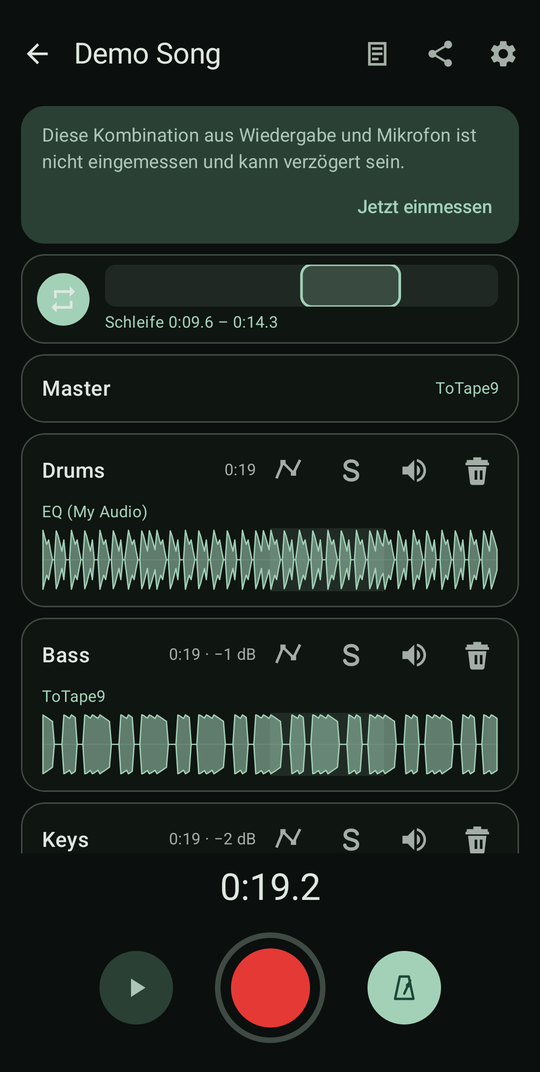
Record track by track, mix with effects and share – on your phone and on your PC. No account, no cloud, free and open source.
Record
New tracks in time with the existing ones, calibrated to your device.
Live effects
Monitor through reverb, EQ or amp effects while recording – the take stays dry.
Mix
Volume, panning, envelopes and up to six effects per track.
Practice
Metronome, practice loop, guitar tuner and lyrics with chords.
Share
Mix as Ogg/Opus, stems as WAV, whole projects as ZIP.
Open
MIT licensed, with 478 Airwindows effects. Everything stays local on your device.
Installation
Android: download the APK and open it. Android asks once whether your browser or file manager may install apps. Install updates the same way over the existing app.
Windows: download the MSI and run it. The installer is not signed with a code-signing certificate, so Windows SmartScreen may ask (More info → Run anyway). My Audio is installed for your user only.
If you like, compare the file’s SHA-256 checksum with the one in the release.
How it works
The guide explains every screen and function, from the first take to the shared mix. The screenshots show the German interface. Source code, licenses and version history are on GitHub.